Free · open source · MIT · created by Ibram

Your AI agents,
working as one office.

A Manager plans, a Deputy checks, a Secretary records — and every AI agent on your computer gets a desk. You keep typing to your agent as usual; the office works behind it, on every message.

▶ Watch the tutorialInstall in one sentenceView on GitHub
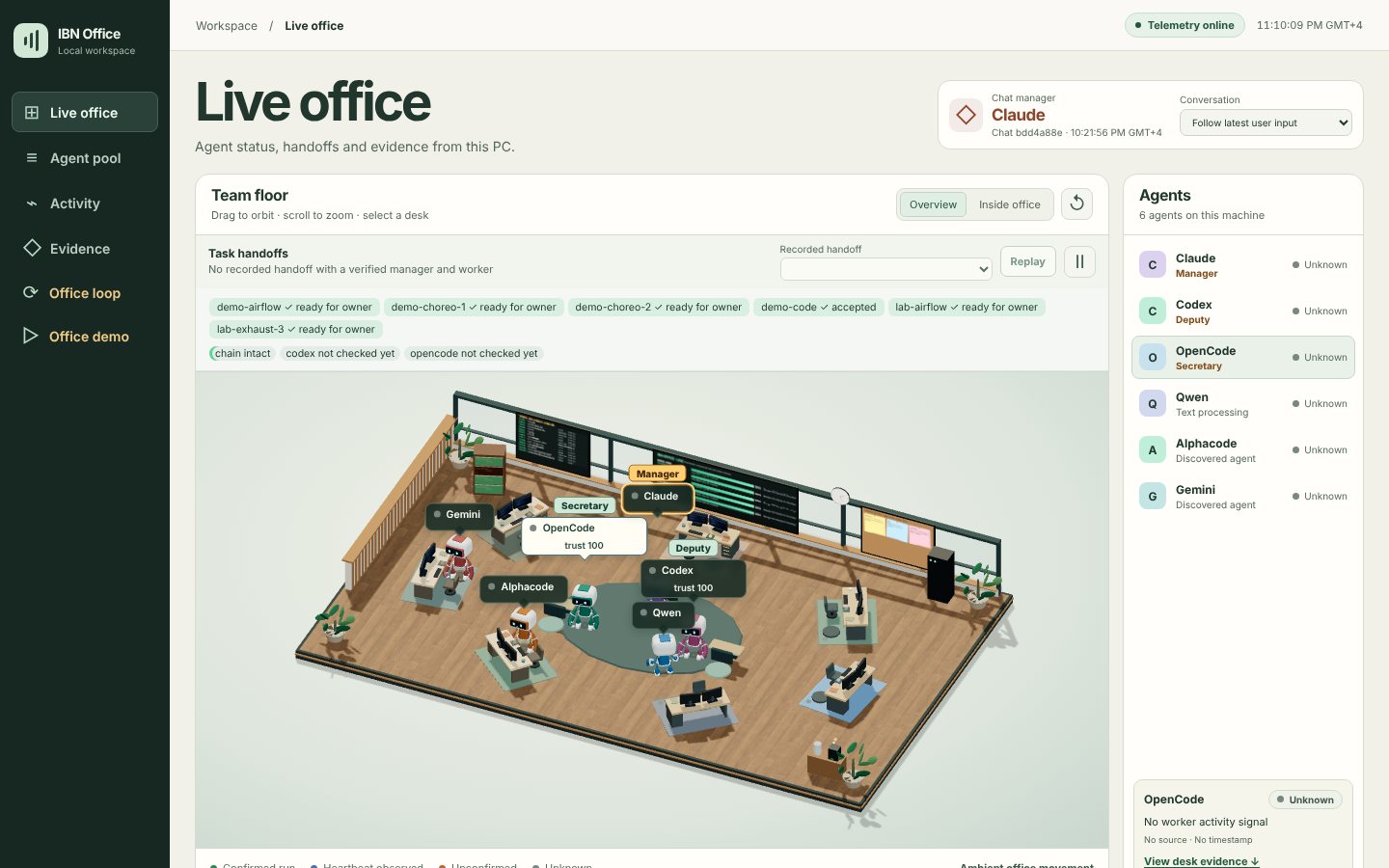
The live 3D office: agents at desks, progress rings, task cards flying

Without it, and with it

The same agents you already have. The difference is that they work as a team, remember you, and prove their work.

🧑‍💻One agent answers alone; nobody checks it.The Manager plans, workers do the parts, the Deputy checks with fresh eyes, the Secretary records.
🔁You repeat the same corrections every day.Your corrections become owner notes — applied to every later request, in every project.
✅"Done" means the agent says so."Done" means a check passed: the expected result is there, tests pass, every record is covered.
💸Every small task uses the biggest model.Small steps go to small models at low effort; hard steps to strong ones. Fewer tokens, same quality.
⛔A model's quota runs out and the work stops.The agent switches to its next model — and a hard step only goes to a model strong enough for it.
📚Similar work is solved from scratch, again.The cabinet remembers solved cases: a 70%-similar task reuses the plan and costs less.
🙈You can't see what is happening.A live 3D office: who works on what, step x of y, % done, time left.

A task's journey

Press play. This is what you see in the 3D office — each movement is the real state of the work.

💬You ask
🧭Manager plans
📨Card flies to a desk
⌨️Agent types
🪑Swivel, stand, deliver
🔎Deputy checks
Press play to follow one task through the office.

The team

Your agents take the roles. With just one agent (only Claude, or only Codex), it plays them at different model sizes and effort levels.

your strongest agent

🧭 Manager

Reads your request and your notes, writes the plan: the expected result, how it is checked, the steps, who does each, what runs in parallel.

fresh eyes

🔎 Deputy

Checks with "Goldfish" reviewers who see only the work. Receives every finished part.

keeps the records

🗂️ Secretary

What was asked, done, checked, fixed and what it cost; your notes; the six project files.

every other agent

🤖 Workers

Claude Code, Codex, OpenCode, Gemini, Qwen, Hermes, AlphaCode… found automatically, now and when installed later.

The methods, in plain words

🐘🐟 Elephant & Goldfish

The Elephant remembers everything about the task; Goldfish reviewers start fresh each time and catch what a tired author misses.

🎀 Ponytail

Every finding is Must fix, Should fix or Nice to have — and all three get done, in an order that avoids conflicts.

🧪 Solution order

Use what exists, then GitHub, then invent from first principles. Each mission reports it as numbers: e.g. 65% reused · 25% GitHub · 10% invented.

🔁 Control loop & Dish Pong

Measure, compare with the target, correct, measure again. A miss is diagnosed and only the part that caused it changes.

Everything inside

Each of these is in the code and covered by tests. The full explanation of how each one works is in FEATURES.md.

You askNotes + similar case addedManager plansGoldfish check the planWorkers + sub-tasksGoldfish check the resultPonytail: all fixedCoherenceTruth checkSecretary recordsYou get it, with evidence

🧩 Sub-tasks

A worker can split a big step into up to 6 linked sub-tasks on other agents and models. Sub-tasks only read; the parent writes — so they never clash.

🧭 The router

Every step gets the right agent and model level: light, standard or strong. A step that keeps failing is escalated by itself.

📝 Owner notes

Corrections and rules are caught from any message — English or Egyptian Arabic — and pinned for every later request, project and chat.

🐘 Elephant & Goldfish

The Manager remembers everything; reviewers start fresh and see only the work. A planted canary proves they never saw the chat.

🎀 Ponytail

Must fix, Should fix, Nice to have — all done. Each is answered “fixed” or “not real, because…”, scheduled without conflicts.

🔍 No hallucination

Fixed result format, a checker per job, and the Office’s own truth check: claims vs what really changed on disk.

🚫 No laziness

The plan lists how a worker could cheat; reviewers must first find a planted error; “done” means every record is covered.

🔒 No side doors

A hook blocks launching an agent behind the Office’s back, so all work is monitored, hashed and reviewed.

🔁 Control loop & Dish Pong

Measure, compare, correct, measure again — and change only the part that missed.

🧾 Cause & effect matrix

Every miss is written as WHERE / WHAT / WHY / HOW, so it is not repeated.

📊 Solution order in numbers

Each mission shows how much was reused, taken from GitHub, or invented.

📚 Learning cabinet

Verified cases are reused at 80%+ similarity and adapted at 50–80%; the saving is measured.

🧱 Coherence

Files that build on a change are re-read and brought to the same level before delivery.

⏱️ Manager oversight

Step x of y, % and time left from measured durations, budgets, a reason when a step is slow, steering mid-step.

🩺 Provider health

Down or rate-limited hosts are detected and paused; the work goes elsewhere.

⚡ Always on

Starts with the PC and works on every message through hooks. Every firing is logged.

🧰 One shared toolbox

One set of skills, tools, libraries, MCP servers and hooks for all agents — tools instead of tokens.

🗂️ Six project files

GOAL, CORE_IDEA, TASK, TASKS, WORKING_PROGRESS, OWNER_NOTES — always current.
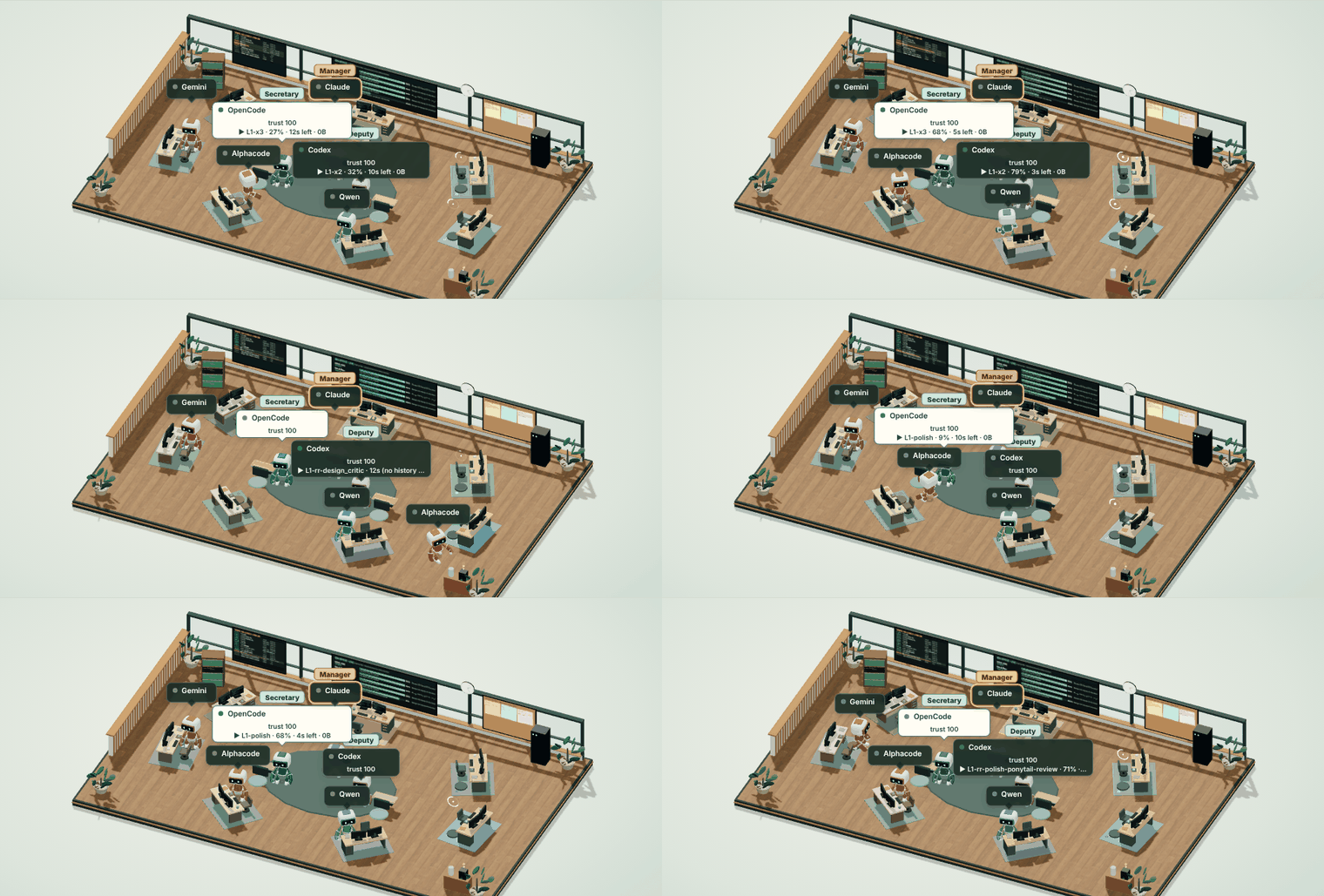
When a model runs out of quota

Each model has its own quota. The office switches model instead of stopping — and never gives a hard step to a weak model.

One agent's models
Pro (High)strong
Opus thinkingstrong · shared quota
Sonnet thinkingstandard · shared quota
Flashlight
The log of what the office decides appears here.

Four free helpers — only if you want them

The installing agent checks what you already have ("I found 2 of 4"), asks which to add, installs only those, sets them up on free models and tests each one for real. Nothing you have is overwritten.

MIT

OpenCode

An open-source coding agent with free models that need no key.

MIT

FreeLLMAPI

One local address for the free plans of many providers. Works with no key from the first minute; every free key you add gives more.

MIT

Hermes Agent

Nous Research's agent with tools and skills — here running on FreeLLMAPI's free models.

MIT

AlphaCode

A fast terminal coding agent with a built-in free lane, no key needed.

You get a plain-words guide: what each one does, the links where you create free keys, where to paste them, and a FreeLLMAPI login made for you (change its password).

Screens

Real screenshots of the dashboard and the 3D office during a demo mission.

Dashboard
The dashboard: missions with %, step x of y and time left, above the office.
Team close-up
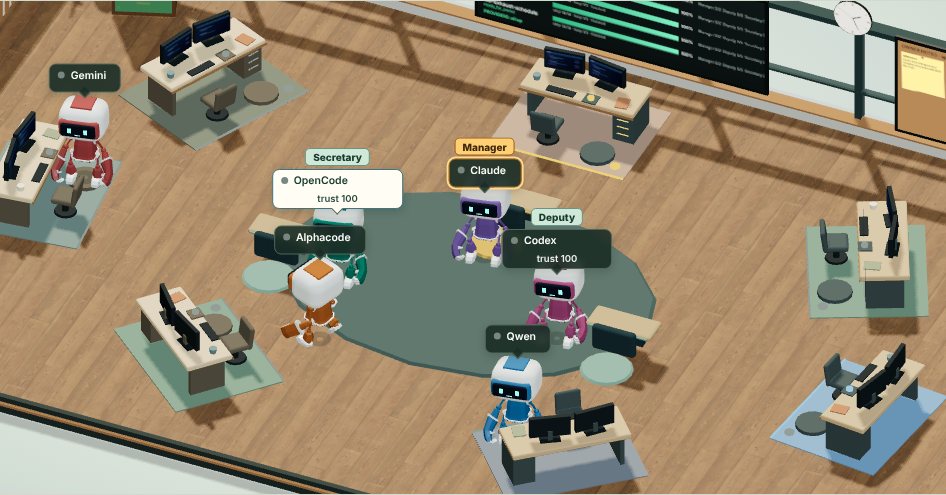
Name tags above each robot; Manager, Deputy and Secretary in the middle.
Whole floor
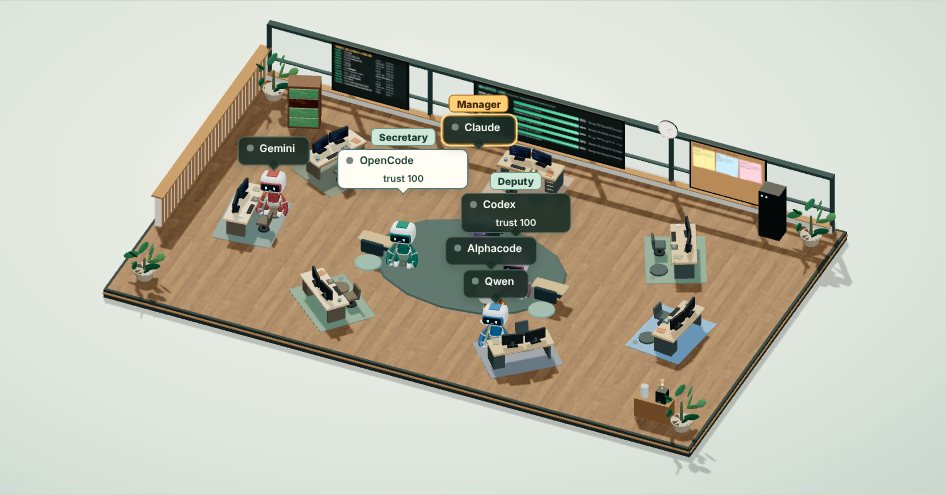
The whole floor: mission wall, task board, pin board, cabinet, rack, coffee corner.

Install in one sentence

Download the folder, open your agent (Claude Code or Codex) in it, and say:

Read INSTALL_FOR_AGENTS.md and install IBN Office on this computer.

Or install with one paste: copy the prompt from INSTALL_PROMPT.md into Claude Code or Codex and walk away. It makes an IBN OFFICE folder, clones the repo, installs everything with the four free helpers, fixes every Ponytail finding, runs the full test, and opens the live 3D office. It asks you nothing.

  1. It checks Python and profiles your machine: programs, skills, libraries, MCP servers, hooks.
  2. It finds your agents and any older systems, and adopts or bridges them — never overwrites.
  3. It installs the hooks for every project, runs the tests, and asks you about the four helpers.
  4. It puts IBN Office on your desktop, starts it with your computer, and writes SETUP_PROOF.md with the evidence of each step.

Questions

Do I need to know programming?

No. Your agent installs it; you work as before and watch the dashboard.

Does it cost money?

IBN Office is free and never starts paid API calls by itself. Your own subscriptions are used more carefully: small models for small steps.

Is my data sent anywhere?

No. Everything stays on your PC; agents talk only to the providers you already use.

How do I know it really works?

Run python office.py proof: hooks fired, calls blocked, tiers used, notes applied, savings, solution order per mission, record chain intact.